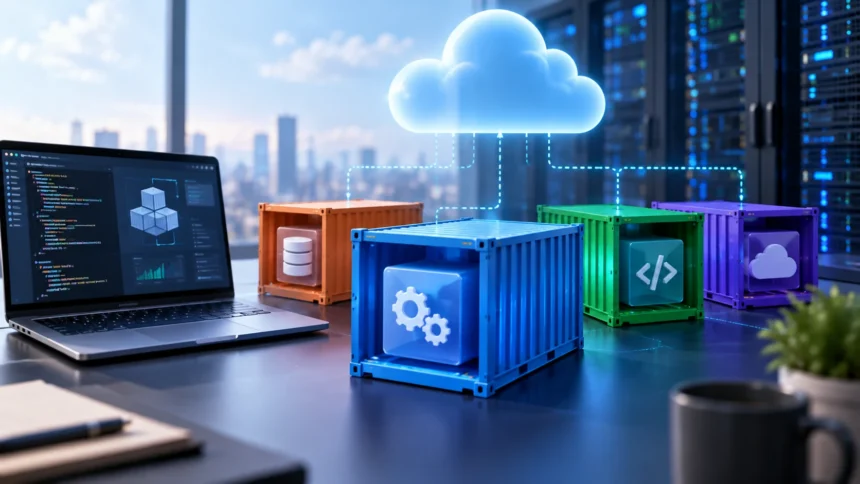
Containers have become a major part of modern cloud computing because they make applications easier to package, move, deploy, and scale. Instead of installing software differently on every server, developers can place an application and its dependencies inside a standardized container that behaves consistently across compatible environments.
You will often hear containers discussed alongside Docker, Kubernetes, microservices, DevOps, and cloud-native development. Although these technologies are connected, they are not the same thing. Understanding what a container actually is makes it much easier to understand how modern applications move from a developer’s laptop into production cloud infrastructure.
What Is a Container in Cloud Computing?
A container is a lightweight software package that contains an application together with the libraries, dependencies, configuration, and other components it needs to run. Instead of relying heavily on the setup of the host computer, the application runs inside a standardized environment designed to behave consistently across compatible systems.
Containers use operating-system-level virtualization rather than creating a complete separate computer for every workload. Multiple containers can therefore share the same underlying operating system kernel while remaining logically isolated from one another. This makes containers lighter than many traditional virtualized environments and allows them to start very quickly.
In cloud computing, containers are commonly used to deploy web applications, APIs, background services, microservices, and data-processing workloads. Cloud platforms can run containers on individual virtual servers or through managed container services. This flexibility helps development teams build applications that can move more easily between local, testing, and production environments.
How Do Containers Work?
A container begins with an image, which acts as a packaged blueprint for the application environment. The image can include application code, runtime libraries, system packages, configuration files, and other required components. When the image is started, the container runtime creates a running container based on those instructions.
The container does not usually include a complete independent operating system. Instead, containers share the host operating system kernel while receiving isolated processes, networking, file systems, and resource limits. This architecture allows many containers to run efficiently on the same host without requiring a separate operating system for every application.
Container runtimes manage how images are downloaded, started, stopped, and isolated. Docker helped popularize this workflow, although modern container environments can use other compatible runtimes. Developers generally interact with images and containers while the underlying runtime handles much of the technical isolation and process management.
What Is a Container Image?
A container image is an immutable package used to create running containers. It contains the files and instructions an application needs, such as source code, runtime dependencies, environment settings, and system libraries. Because the image defines the environment, teams can use the same package repeatedly across several stages of development.
Images are commonly built from configuration files containing instructions for assembling the application environment. Developers can specify a base image, install dependencies, copy application files, expose network ports, and define the command that should run when the container starts. This process makes software environments reproducible instead of manually configured.
Once built, images can be stored in container registries so development and deployment systems can access them. Public and private registries allow teams to version and distribute images across environments. Production systems can then pull a specific approved image rather than rebuilding an application differently on every server.
Containers vs Virtual Machines
Containers and virtual machines both isolate workloads, but they do so differently. A virtual machine generally includes a complete guest operating system running on virtualized hardware. Containers usually share the host operating system kernel, making them smaller and faster to start while using fewer computing resources.
Learning what a virtual machine is can make this distinction easier to understand. A single virtual machine may require gigabytes of storage and significant memory, while several application containers can often run inside that VM. Cloud environments frequently use both technologies together instead of choosing only one.
Virtual machines remain useful when workloads require different operating systems, stronger infrastructure-level separation, or particular legacy software. Containers are especially useful when development teams want fast deployments, application portability, and efficient scaling. The right option depends on the workload, security requirements, architecture, and operational environment.
Why Are Containers Popular in Cloud Computing?
One major reason is portability. Developers can package an application once and run the same image across compatible laptops, test environments, data centers, and cloud systems. This reduces the classic problem where software behaves correctly during development but fails after deployment because the production environment is configured differently.
Containers also start very quickly compared with many full virtual machines. This makes them useful for applications that need to scale when traffic suddenly increases. Cloud platforms can launch additional container instances to handle demand and remove them later when they are no longer needed, improving resource efficiency.
Another advantage is application isolation. Each service can run with its own dependencies without requiring every application on the server to use the same library versions or runtime configuration. This gives development teams more freedom to update one application without automatically changing the environments used by unrelated workloads.
What Is Docker and How Does It Relate to Containers?
Docker is a platform and ecosystem that helped make containers widely accessible to software developers. It provides tools for building container images, running containers, sharing images, and defining development environments. Because Docker became so popular, people sometimes use the words Docker and container as though they mean exactly the same thing.
A container is the broader technology concept, while Docker is one collection of tools used to work with containers. Other container technologies and runtimes also exist. Modern cloud-native systems often follow open container standards, allowing images to work across multiple compatible platforms instead of depending entirely on one vendor.
For beginners, Docker remains a practical way to learn container fundamentals. You can create a small application, define its environment in a Dockerfile, build an image, and start a container locally. This hands-on process helps make concepts such as images, ports, volumes, networking, and environment variables easier to understand.
What Is Kubernetes and Why Is It Used With Containers?
Running a few containers manually is relatively simple, but managing hundreds or thousands across multiple servers becomes complicated. Kubernetes is a container orchestration platform designed to automate deployment, scaling, networking, recovery, and management of containerized applications. It helps teams operate large container environments more reliably.
Kubernetes groups containers into units called pods and manages where those workloads run across a cluster of machines. If a container fails, Kubernetes can restart or replace it. If application traffic increases, the platform can also increase the number of running instances when appropriate scaling rules are configured.
Kubernetes is not required for every container project. Small applications may run effectively using simpler container platforms or managed services. However, organizations operating complex microservices or large cloud-native systems often use Kubernetes because manual container administration becomes difficult as infrastructure and application dependencies grow.
Containers and Microservices Architecture
Microservices architecture divides an application into smaller services responsible for specific functions. Instead of deploying one large application as a single unit, teams can build separate services for functions such as authentication, payments, search, notifications, or product management. Containers provide a convenient way to package these services independently.
Each microservice can have its own dependencies, release schedule, and scaling requirements. For example, a search service experiencing heavy traffic can scale without requiring the entire application to increase capacity. Containerization supports this independence by keeping each service and its runtime environment packaged separately.
Containers and microservices are not identical, and you can use one without the other. A monolithic application can run inside a container, while microservices can technically run without containers. They are often combined because container portability, isolation, and automation fit naturally with independently deployable services.
Key Benefits of Containers
Efficiency is one of the biggest advantages of containers. Because multiple containers share the underlying operating system kernel, they generally require fewer resources than running the same number of complete virtual machines. This allows organizations to place more application workloads on available infrastructure when capacity and security requirements permit.
Consistency is another major benefit. Developers can use the same container image during testing and production, reducing environmental differences. When the same application package moves through a CI/CD pipeline, teams gain more confidence that tested software is similar to what ultimately runs in the production environment.
Containers can also support faster software delivery. Teams can build and test small application changes, create updated images, and deploy them without rebuilding an entire server. This fits well with DevOps and continuous delivery practices where applications may be updated frequently and automated deployment processes are important.
Container Storage and Persistent Data
Containers are often designed to be temporary, meaning the container itself can be stopped, removed, and replaced without warning. This works well for application processes, but it creates challenges for data that must survive after the container disappears. Persistent information therefore needs an appropriate storage strategy.
Volumes allow data to exist separately from the lifecycle of a specific container. A database container, for example, can write information to persistent storage so the data remains available even when the application container restarts. Cloud platforms can connect containers to managed disks, file systems, object storage, or database services.
Applications should generally avoid storing important long-term data only inside the container’s temporary file system. Separating application processes from persistent state makes workloads easier to replace and scale. This approach is especially important in Kubernetes and other environments where containers may move between hosts or be recreated automatically.
Container Networking Explained Simply
Containers need networking so users and services can communicate with them. A container can expose a port used by a web server, API, database, or another application component. The runtime or orchestration platform then connects that internal service to other containers, hosts, networks, or external users as needed.
In a simple local setup, developers may map a port on the host computer to a port inside the container. More advanced cloud environments use virtual networks, service discovery, load balancers, ingress systems, and security rules. These tools help direct traffic to the correct application while controlling which services can communicate.
Container networking becomes more complicated in microservices environments because many small services may communicate continuously. Teams need to understand DNS, ports, IP addresses, load balancing, and network security. Strong networking fundamentals therefore remain important even when orchestration platforms automate many of the underlying details.
Are Containers Secure?
Containers can support secure application environments, but using containers does not automatically make software safe. Vulnerable application code, outdated packages, exposed credentials, weak permissions, or poorly configured networks can still create security problems. Container images should therefore be scanned and maintained like other software components.
Using trusted and minimal base images can reduce unnecessary packages and potential vulnerabilities. Teams should also avoid running containers with more permissions than required and should protect secrets such as passwords, API keys, and tokens. Runtime monitoring can help identify suspicious behavior after applications are deployed.
Security responsibilities extend beyond individual containers. The host operating system, container runtime, orchestrator, registry, cloud infrastructure, and deployment pipeline all require protection. A strong container security strategy therefore combines image security, access control, network restrictions, updates, monitoring, and secure development practices across the entire lifecycle.
Common Challenges of Using Containers
Containers add flexibility, but they also introduce technical complexity. Teams must learn image management, registries, networking, persistent storage, logging, security, and deployment processes. The learning curve becomes steeper when Kubernetes or other orchestration technologies are added to manage large environments.
Observability can also become challenging because containers may start and stop frequently. Traditional troubleshooting methods based on logging directly into one long-lived server may not work as well. Teams need centralized logging, metrics, tracing, and monitoring so they can understand what is happening across many temporary application instances.
Poorly managed container environments can also create image sprawl and security risks. Old images, forgotten workloads, unnecessary permissions, and vulnerable dependencies can accumulate over time. Automation, clear ownership, image lifecycle policies, and regular security scanning help keep container infrastructure manageable as usage grows.
How to Start Learning Containers
Begin by understanding basic Linux, networking, and command-line concepts. Containers become much easier to understand when you already know processes, ports, file systems, permissions, and environment variables. You do not need expert-level knowledge, but these fundamentals help explain what container platforms are actually isolating and managing.
Next, install a container platform in a safe learning environment and run a simple prebuilt image. Practice starting, stopping, inspecting, and removing containers. Then build your own image for a small application and experiment with ports, environment variables, volumes, and container networking.
Once those basics are comfortable, explore container registries and automated deployments before moving into Kubernetes. Avoid jumping immediately into advanced orchestration if you cannot yet explain how a single container works. Strong container fundamentals make later cloud-native concepts much easier to troubleshoot and understand.
Conclusion
A container in cloud computing is a lightweight, isolated package containing an application and the dependencies it needs to run. Containers share the host operating system kernel instead of including a complete separate operating system. This design makes them fast, portable, and efficient for many modern application workloads.
Containers are commonly used with Docker, Kubernetes, microservices, CI/CD pipelines, and cloud-native development. They can improve consistency between environments and make applications easier to deploy and scale. However, teams still need to manage networking, storage, security, monitoring, and image maintenance carefully.
If you are learning cloud computing or DevOps, containers are an important technology to understand. Start with basic container images and local deployments before moving into orchestration. Once you understand how images, runtimes, volumes, and networks work together, technologies such as Kubernetes become much easier to learn.
FAQs
What is a container in cloud computing in simple words?
A container is a lightweight package containing an application and the files it needs to run. It creates an isolated environment while sharing the underlying operating system with other containers.
What is the difference between a container and a virtual machine?
A virtual machine generally includes a complete guest operating system, while containers share the host operating system kernel. Containers are usually lighter and faster, while VMs provide broader operating-system isolation.
Is Docker the same as a container?
No. A container is the technology concept, while Docker provides tools for building, running, and managing containers. Other container runtimes and platforms can also work with standardized container images.
Why is Kubernetes used with containers?
Kubernetes automates container deployment, scaling, networking, and recovery across clusters of machines. It becomes particularly valuable when organizations need to operate many containerized services across complex cloud environments.
Are containers only used in cloud computing?
No. Containers can run on developer laptops, private servers, data centers, and public cloud platforms. Their portability is one reason they are widely used across development, testing, and production environments.