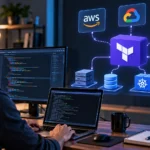
Starting a DevOps career can feel confusing because job descriptions often mention Linux, Docker, Kubernetes, AWS, Terraform, Jenkins, Git, Python, and many other technologies at once. Beginners sometimes make the mistake of trying to learn every tool immediately. A better DevOps engineer roadmap focuses on concepts first, then introduces tools in a logical order through practical projects.
You do not need to master software development or system administration before beginning. However, you should gradually build strong foundations in operating systems, networking, version control, automation, cloud computing, and software delivery. Following the right learning sequence will help you understand how these technologies work together instead of simply memorizing commands.
What Does a DevOps Engineer Do?
A DevOps engineer helps development and operations teams build, test, deploy, and maintain software more efficiently. The role typically involves automating repetitive processes, managing infrastructure, creating CI/CD pipelines, maintaining cloud environments, and monitoring applications. The main goal is to make software delivery faster, more reliable, and easier to manage without sacrificing stability or security.
DevOps professionals often work across multiple parts of the software development lifecycle. They may configure Linux servers, troubleshoot network issues, manage containers, automate infrastructure, or investigate failed deployments. Because the role covers several technical areas, beginners should concentrate on understanding how systems connect instead of trying to become an expert in every technology from the beginning.
DevOps is also a way of working, not just a collection of tools. Collaboration, automation, continuous improvement, shared responsibility, monitoring, and rapid feedback are important DevOps principles. Understanding why teams use automated testing, continuous delivery, infrastructure as code, and observability will make learning individual DevOps tools much easier and more meaningful.
Start With Computer, Linux, and Networking Fundamentals
Linux should be one of the first technical skills on your DevOps learning roadmap because many servers, containers, and cloud systems run on Linux. Learn how directories, files, users, permissions, processes, services, and package managers work. Become comfortable using the terminal instead of relying entirely on a graphical interface to perform everyday administration tasks.
Practice common commands such as ls, cd, pwd, mkdir, cp, mv, grep, find, chmod, and systemctl. You should also know how to check running processes, inspect logs, install software, manage users, and connect to remote servers with SSH. Regular hands-on practice is much more valuable than trying to memorize hundreds of Linux commands.
Networking fundamentals are equally important because DevOps systems constantly communicate across networks. Learn about IP addresses, DNS, TCP/IP, HTTP, HTTPS, ports, firewalls, load balancers, and private versus public networks. Understanding what happens when a browser requests a website will later help you troubleshoot servers, containers, APIs, cloud networks, and Kubernetes applications.
Learn Git, GitHub, and Version Control
Git is essential because modern software teams use version control to track application code, configuration files, infrastructure code, and deployment changes. Start with repositories, commits, branches, merges, and remote repositories. Understanding these concepts helps you collaborate safely while maintaining a history of every important change made to a project.
Practice commands such as git clone, git add, git commit, git push, git pull, and git checkout. Create separate branches for changes and learn how to merge them back into the main branch. You should also intentionally practice resolving a merge conflict because conflicts are normal when several people work on the same codebase.
Next, become comfortable with platforms such as GitHub, GitLab, or Bitbucket. Learn how pull requests, code reviews, repository permissions, issues, webhooks, and automated workflows operate. Hosting your DevOps projects publicly on GitHub can also create a portfolio that demonstrates your practical skills when you begin applying for junior DevOps positions.
Learn Basic Programming and Automation
DevOps engineers do not always build full applications, but they frequently write scripts that automate repetitive tasks. Bash is valuable for Linux automation, while Python is useful for more advanced scripts, APIs, cloud services, and data processing. Beginners should develop enough programming knowledge to understand code and create simple automation without trying to become expert developers immediately.
Start with variables, loops, conditions, functions, files, and basic error handling. Build small scripts that create backups, rename multiple files, check whether a service is running, monitor disk usage, or process log files. These simple projects teach the automation mindset that is central to DevOps engineering and reduce dependence on manual system administration.
Once you understand the basics, learn how scripts can communicate with APIs and external services. For example, a Python script could retrieve application data, check cloud resources, or trigger an automated process. The goal is to become comfortable identifying repetitive operational tasks and turning them into reliable, repeatable automation wherever practical.
Understand CI/CD and Software Delivery
Continuous Integration and Continuous Delivery are core concepts in DevOps. Continuous Integration automatically builds and tests software when developers make code changes, while Continuous Delivery prepares those changes for reliable deployment. These practices help teams find problems earlier, reduce manual work, and release software more consistently compared with traditional deployment processes.
Choose one CI/CD platform and learn it well before experimenting with several tools. GitHub Actions is beginner-friendly, while GitLab CI/CD and Jenkins are also widely used. Learn about pipelines, jobs, stages, environment variables, secrets, automated tests, build artifacts, and deployment steps so you understand what happens from code commit to production.
Build a small pipeline yourself rather than only watching tutorials. Create a basic application, store the code in GitHub, and configure a workflow that runs tests whenever you push a change. Later, extend the pipeline so successful changes automatically build an application package or Docker image and deploy it to a test environment.
Learn Docker Before Kubernetes
Docker helps developers package applications with their dependencies so they can run consistently across different environments. Before learning orchestration, understand container images, containers, Dockerfiles, networks, volumes, registries, and port mapping. Learning why containers solve deployment problems is more important than memorizing every Docker command available.
Practice containerizing a small web application and running it locally. Learn how to build images, start and stop containers, inspect logs, mount persistent storage, and connect multiple containers through a network. Docker Compose is especially useful for beginners because it allows several services, such as an application and database, to run together.
After becoming comfortable with Docker, move to Kubernetes. Learn pods, deployments, services, namespaces, ConfigMaps, Secrets, persistent volumes, and basic cluster architecture. Start with a local environment such as Minikube or kind, and focus on deploying, scaling, updating, and troubleshooting a simple application before exploring more advanced Kubernetes features.
Learn Cloud Computing and Cloud-Native Concepts
Cloud computing is an important part of most modern DevOps environments. Choose one major platform such as AWS, Microsoft Azure, or Google Cloud instead of attempting to learn all three simultaneously. Focus first on universal concepts such as virtual machines, storage, networking, identity management, load balancing, databases, and application monitoring.
Practice creating cloud resources yourself so you understand how the services connect. Launch a virtual machine, configure network access, connect through SSH, host a small application, and experiment with storage. Also learn identity and access management because controlling who and what can access cloud resources is essential for maintaining secure infrastructure.
As you progress, understand how containers, microservices, automation, scalable infrastructure, and managed services fit into modern application architecture. Learning the basics of cloud-native concepts can help connect these ideas. This foundation makes Kubernetes, serverless computing, managed container platforms, and distributed cloud systems easier to understand later.
Master Infrastructure as Code and Configuration Management
Infrastructure as Code allows infrastructure to be created through configuration files rather than manually setting up resources through cloud dashboards. Terraform is one of the most useful technologies to learn for this purpose. It helps teams create repeatable infrastructure that can be stored in Git, reviewed, updated, and recreated consistently across environments.
Begin with Terraform providers, resources, variables, outputs, state, and modules. Build small projects that create a virtual machine, network, storage resource, or security group. Then destroy and recreate the same infrastructure using your configuration files so you understand the real value of repeatability and automated infrastructure provisioning.
Configuration management is another useful DevOps skill, and Ansible is a beginner-friendly tool to explore. It can automate software installation, server configuration, user management, and application setup across multiple machines. Terraform and Ansible often solve different problems, so learning how provisioning and configuration management complement each other is valuable for real infrastructure work.
Learn Monitoring, Logging, Security, and Observability
A DevOps engineer’s responsibility does not end once an application has been deployed. Teams need to know whether systems are available, fast, secure, and functioning as expected. Learn to monitor CPU usage, memory, storage, network activity, response time, application availability, and error rates so problems can be identified before they seriously affect users.
Logging helps engineers understand what happened when systems fail. Learn how application and system logs are collected, searched, filtered, and centralized. Tools such as Prometheus and Grafana can introduce you to metrics and dashboards, while broader observability concepts teach you how metrics, logs, and traces work together to explain complex system behavior.
Security should also be part of your DevOps roadmap from the beginning. Learn least-privilege access, secret management, secure credentials, software updates, dependency scanning, and basic container security. Never place passwords, API keys, cloud credentials, or tokens directly inside public repositories, and understand how secure secret stores can protect sensitive information in automated pipelines.
Build DevOps Projects and Prepare for Your First Job
Projects help you connect individual DevOps skills into complete workflows. Instead of creating isolated exercises for Docker, Terraform, and CI/CD, build a project that combines several technologies. You could containerize an application, provision cloud infrastructure with Terraform, create an automated deployment pipeline, and add basic monitoring for the deployed service.
Document everything clearly in GitHub. Your project README should explain the problem, architecture, technologies used, deployment process, and any challenges you solved. Include Dockerfiles, pipeline configurations, Terraform files, scripts, Kubernetes manifests, and relevant diagrams when possible so potential employers can understand exactly what you built and how you approached the project.
Once you can confidently explain your projects, begin applying for junior DevOps, cloud support, infrastructure, system administration, or platform engineering roles. Do not wait until you know every tool mentioned in job descriptions. Employers often value strong fundamentals, problem-solving ability, practical projects, and willingness to learn more than shallow familiarity with dozens of technologies.
Conclusion
A successful DevOps engineer roadmap for beginners starts with strong technical foundations. Learn Linux, networking, Git, and basic scripting before moving toward CI/CD, containers, cloud platforms, Kubernetes, infrastructure automation, monitoring, and security. Following this sequence will help you understand why each technology exists and how the different pieces connect.
Avoid trying to master every DevOps tool at the same time. Select one technology for each important concept, practice it through hands-on projects, and move forward after you understand the fundamentals. Building something yourself, breaking it, troubleshooting it, and fixing it will usually teach you more than repeatedly watching tutorials without practical implementation.
Your goal should be to demonstrate that you can take an application from source code to a reliable running environment. Build projects, document your learning, strengthen weak areas, and begin applying for relevant entry-level roles as your confidence improves. DevOps is a continuous learning field, so steady practical progress matters more than trying to complete the entire roadmap quickly.
FAQs
Can a beginner learn DevOps without IT experience?
Yes. Beginners can learn DevOps without previous professional IT experience, but they should start with Linux, networking, Git, and basic scripting before attempting advanced cloud, Kubernetes, or infrastructure automation topics.
How long does it take to learn DevOps?
Many beginners can develop useful foundational skills within six to twelve months of consistent practice. Becoming job-ready depends on your previous experience, study time, project quality, troubleshooting ability, and understanding of core concepts.
Should I learn AWS before Docker?
Either can be learned first, but Docker is often easier after you understand Linux basics. Cloud knowledge should then be added gradually so you can deploy containers and applications into realistic infrastructure environments.
Is Kubernetes necessary for a beginner DevOps engineer?
Kubernetes is valuable, but it should not be your first DevOps skill. Learn Linux, networking, Git, CI/CD, and Docker first so you understand the concepts Kubernetes is designed to manage and automate.
Which programming language is best for DevOps beginners?
Python is an excellent choice because it is readable and widely used for automation, APIs, and cloud tasks. Bash is also important for Linux administration, so learning basic Bash alongside Python creates a strong foundation.