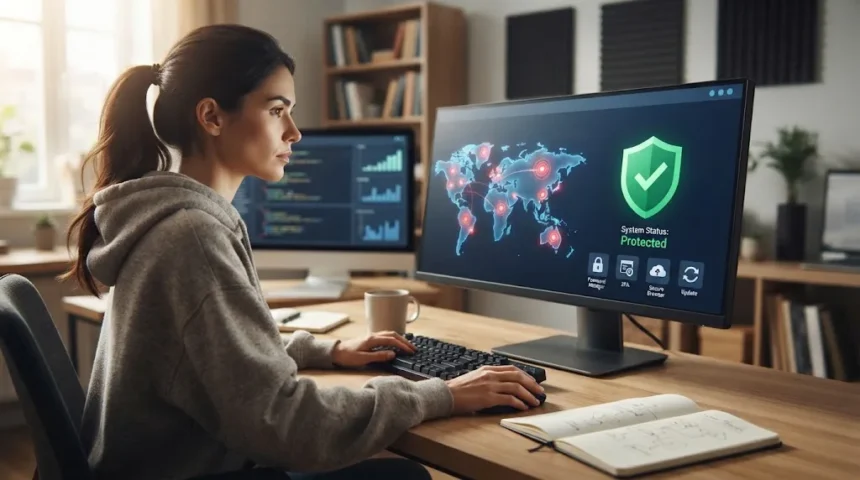
The internet makes everyday life easier, from banking and shopping to working, learning, and staying connected. However, every online activity can also expose personal information, passwords, financial details, or devices to cyber threats. Understanding basic cybersecurity can help you avoid many common attacks without needing advanced technical knowledge.
Cybercriminals often succeed because they exploit everyday habits rather than sophisticated computer weaknesses. Reused passwords, outdated software, suspicious links, unsafe downloads, and oversharing personal information can create opportunities for attackers. Small improvements in your online behavior can significantly reduce the risk of account theft, malware, identity fraud, and privacy problems.
Cybersecurity should not feel complicated or overwhelming. A few consistent habits can protect your accounts, devices, and personal information across websites and applications. The following cybersecurity tips every internet user should know can help you browse, communicate, shop, work, and manage your digital life more safely.
Use Strong and Unique Passwords for Every Account
Strong passwords remain one of the most important layers of online security. Avoid using names, birthdays, phone numbers, common words, or simple combinations such as Password123 because attackers can guess them quickly. Longer passwords or passphrases containing unrelated words are generally easier to remember while being much harder for automated password-cracking tools to predict.
Every important account should have a different password. When the same password is reused across several websites, one data breach can expose many accounts at once through credential-stuffing attacks. Your email account deserves particular attention because criminals who access it may be able to reset passwords for banking, shopping, cloud storage, and social media services.
A reputable password manager can make unique passwords much easier to maintain. These tools can generate complex credentials, store them securely, and automatically fill them on the correct login pages. You then mainly need to remember one strong master password rather than trying to memorize dozens of passwords or relying on predictable variations.
Turn On Multi-Factor Authentication Whenever Possible
Multi-factor authentication adds another verification step after your password. Depending on the service, this may involve an authenticator application, security key, biometric check, or temporary verification code. Even if a criminal obtains your password, the additional security factor can prevent them from immediately gaining access to your account.
Enable multi-factor authentication first on accounts containing valuable or sensitive information. Email, banking, cloud storage, password managers, social media, and workplace accounts should generally receive the highest priority. Protecting your main email account is particularly important because it often serves as the recovery method for many other online services.
Remain cautious even after enabling multi-factor authentication. Attackers may send repeated login prompts or pretend to be customer support representatives asking for temporary codes. Never approve an authentication request you did not initiate, and do not share verification codes with anyone who unexpectedly contacts you through email, text, phone, or social media.
Learn How to Recognize Phishing Attempts
Phishing attacks attempt to trick people into revealing passwords, banking details, authentication codes, or other valuable information. Messages may appear to come from banks, delivery companies, employers, streaming platforms, government organizations, or familiar online services. They often create urgency by claiming your account is locked, a payment failed, or immediate verification is required.
Before clicking a link, examine the sender and ask whether the message makes sense. Suspicious email addresses, unexpected attachments, unusual payment requests, spelling changes in website names, and requests for sensitive information should raise concern. Rather than following an unexpected login link, open the official application or type the known website address directly into your browser.
Modern phishing attempts can look extremely professional, so grammar mistakes are no longer a reliable warning sign. Criminals can use automated tools and artificial intelligence to create convincing messages quickly. As technologies such as AI in digital marketing become increasingly common, internet users should focus on verification rather than assuming polished online communication is automatically trustworthy.
Keep Your Devices and Software Updated
Software updates are not only about adding new features or improving performance. Developers frequently release updates to fix security vulnerabilities that criminals could otherwise exploit. Leaving Windows, browsers, smartphones, applications, and network devices outdated can give attackers known technical weaknesses that may already have publicly available exploitation methods.
Enable automatic updates whenever practical so important security patches are installed without relying entirely on memory. Pay particular attention to operating systems, browsers, antivirus software, messaging applications, and programs that regularly connect to the internet. Remove applications you no longer use because unsupported software can become a security risk when it stops receiving updates.
Updates should also come from legitimate sources. Avoid downloading unofficial patches, cracked software, or installers from unfamiliar websites because attackers frequently disguise malware as useful updates. When an application tells you an update is available, verify it through the official software interface, trusted app store, or developer website before installing unfamiliar files.
Use Secure Internet Connections and Public Wi-Fi Carefully
Public Wi-Fi can be convenient in hotels, airports, cafés, libraries, and shopping centers, but shared networks require additional caution. Avoid assuming a network is legitimate simply because its name resembles the business you are visiting. Attackers can create fake wireless networks with convincing names to encourage nearby users to connect.
Be especially careful when accessing banking accounts, entering payment information, or handling confidential business data on unfamiliar networks. Use websites with encrypted connections and avoid ignoring browser security warnings. If you regularly work from public locations, using your mobile hotspot or another trusted connection can provide greater control over how your device reaches the internet.
A reputable virtual private network can add privacy by encrypting traffic between your device and the VPN service. However, a VPN does not automatically protect you from phishing, malicious downloads, fake websites, or compromised accounts. Secure connections should therefore complement strong passwords, software updates, cautious browsing, and other cybersecurity practices rather than replacing them.
Protect Your Computer and Mobile Devices
Your devices contain access to email, messages, photos, banking applications, social accounts, and stored files, making physical security important as well. Protect laptops, smartphones, and tablets with strong screen locks, PINs, passwords, or biometric authentication. Configure devices to lock automatically after a short period of inactivity so unattended equipment does not remain accessible.
Use reputable security software where appropriate and keep built-in protection enabled. Modern operating systems include tools designed to detect malware, block suspicious applications, and warn about dangerous websites or downloads. Avoid disabling antivirus software, firewalls, or browser protections simply because an unfamiliar program asks you to turn them off during installation.
Device encryption can also protect information if a laptop or smartphone is lost or stolen. Many modern devices offer encryption through built-in security settings, sometimes enabled automatically. You should also activate official device-finding features where available, allowing you to locate, lock, or erase a missing device if physical recovery is not possible.
Be Careful About What You Share Online
Information shared publicly can help criminals create convincing scams. Birthdays, workplaces, family names, travel plans, phone numbers, pet names, and personal interests may seem harmless individually, but attackers can combine these details when guessing passwords or designing targeted phishing messages. Review what information strangers can see on your social media profiles.
Privacy settings deserve occasional review because platforms may add features or change how information is shared. Limit public visibility when there is no practical reason for personal posts, contact details, or location information to be available to everyone. Be cautious about quizzes and applications that ask for access to profile information, contacts, photos, or other account data.
Real-time travel posts can also reveal that you are away from home, while photographs may unintentionally display addresses, workplace badges, financial documents, or other private details. Before posting, consider what someone unfamiliar with you could learn from the content. Good digital privacy involves controlling information before it becomes publicly searchable, copied, or permanently archived elsewhere.
Download Files and Apps Only From Trusted Sources
Malware frequently spreads through fake downloads, cracked software, pirated games, browser extensions, and malicious email attachments. Attackers may disguise harmful files as invoices, resumes, updates, entertainment, security programs, or popular applications. Downloading from an unfamiliar website can therefore expose your device even when the file appears legitimate at first glance.
Use official app stores and trusted developer websites whenever possible. Before installing unfamiliar software, check the publisher, permissions, user feedback, and whether the application genuinely requires the access it requests. A simple utility should not normally need permission to read all your contacts, access sensitive files, control accessibility settings, or perform unrelated administrative actions.
Browser extensions deserve the same level of caution because they can potentially view or modify information on websites you visit. Install only extensions you genuinely need and review them periodically. Remove old or suspicious add-ons rather than leaving dozens installed indefinitely, especially when the developer is unknown or the extension suddenly begins requesting additional permissions.
Back Up Important Files Regularly
Backups protect you when cybersecurity defenses fail. Ransomware, accidental deletion, hardware failure, theft, and corrupted storage can all cause important files to disappear unexpectedly. Keeping copies of documents, photographs, work files, and other essential data gives you a recovery option without depending entirely on the original computer or storage device.
A strong backup strategy should include more than one copy of important information. You might combine a reputable cloud backup service with an external storage device that is not permanently connected to your computer. Keeping backup copies separated reduces the chance that malware, physical damage, or one account compromise destroys both your original files and every recovery copy.
Backups should also be tested occasionally. A file that appears backed up is not useful if it cannot be restored when needed. Check that important folders are included, confirm backups are completing successfully, and understand how the recovery process works before an emergency occurs so you are not learning the system while already dealing with data loss.
Monitor Your Accounts for Suspicious Activity
Regularly reviewing important accounts can help you notice problems before they become larger. Look for unfamiliar login locations, unknown devices, password changes, unexpected purchases, new forwarding rules, or security notifications you did not initiate. Banking, email, social media, and cloud services often provide recent activity pages that make suspicious access easier to identify.
Take unexpected security alerts seriously, but verify them independently because criminals also imitate account warnings in phishing campaigns. Instead of clicking a link inside an alarming email, open the official application or website yourself. If genuine unauthorized activity appears, change your password, sign out other sessions, review recovery settings, and enable stronger authentication immediately.
Financial accounts also deserve regular monitoring. Small unauthorized transactions can sometimes appear before larger fraudulent charges, so do not ignore activity simply because the amount seems insignificant. Enable transaction notifications when your bank or payment service offers them, because timely alerts can help you identify fraud and contact the provider before additional damage occurs.
Build Everyday Cybersecurity Habits That Last
Cybersecurity is most effective when safe behavior becomes automatic rather than something you remember only after a problem occurs. Use password managers, automatic updates, device locks, multi-factor authentication, and backup schedules to reduce the number of security decisions you must make manually. Well-configured tools can handle routine protection while you focus on unusual situations that require judgment.
Avoid reacting immediately when an online message creates fear, excitement, urgency, or curiosity. Cybercriminals rely heavily on emotional pressure because rushed users are more likely to click suspicious links or reveal information. Taking a few seconds to verify a request can prevent account theft, malware installation, fraudulent payments, and many other avoidable cybersecurity problems.
Security practices should evolve as your digital life changes. New devices, accounts, payment services, cloud platforms, and workplace tools may introduce additional information that needs protection. Review your cybersecurity habits periodically, remove unused accounts and applications, update recovery information, and strengthen protection around services that contain the most valuable personal or professional data.
Conclusion
Cybersecurity does not require advanced technical expertise. Strong unique passwords, multi-factor authentication, regular software updates, careful browsing, and secure device settings can prevent many common online attacks. The most important step is developing consistent habits rather than relying on one antivirus program, one privacy tool, or one security feature to protect everything.
Internet users should also become comfortable questioning unexpected online requests. Phishing messages, fake downloads, suspicious login pages, and fraudulent calls often depend on urgency and trust rather than sophisticated technology. Verifying unusual communication through independent channels can significantly reduce the chance of accidentally giving criminals passwords, financial information, or access to important accounts.
Finally, prepare for situations where prevention is not enough. Regular backups, account monitoring, recovery information, and knowledge of how to secure a compromised account can reduce the damage caused by an incident. A thoughtful combination of prevention, awareness, and recovery planning provides a much stronger foundation for safer everyday internet use.
FAQs
What is the most important cybersecurity tip for beginners?
Start by using unique passwords for every important account and enabling multi-factor authentication. These two habits can significantly reduce the risk of account takeover, especially when passwords are leaked or stolen.
How can I tell whether a website is safe?
Check the website address carefully, avoid links from unexpected messages, and pay attention to browser security warnings. A professional design or familiar logo alone does not prove that a website is legitimate.
Do I need antivirus software on every device?
Security needs depend on the device and operating system, but built-in or reputable security tools should remain enabled and updated. Antivirus works best when combined with safe downloads, updates, strong passwords, and cautious browsing.
Is public Wi-Fi dangerous to use?
Public Wi-Fi can carry additional risks because you may not know who controls the network. Avoid sensitive activities on unfamiliar connections, verify network names carefully, and use trusted security tools when appropriate.
What should I do if one of my accounts is hacked?
Change the password immediately, sign out unfamiliar sessions, review recovery information, and enable multi-factor authentication. If the compromised password was reused, change it on every other account where you used the same credentials.