What Is a MIDI File? How It Works & How to Open One
A MIDI file is a digital music file that stores instructions for playing music rather than storing recorded sound itself. Unlike an MP3 or WAV file, which contains actual audio, a MIDI file records information such as which notes should play, when they should begin, how long they should last, how hard they are played, and which instruments should be used. Because MIDI stores commands rather than recorded waveforms, the files are usually extremely small compared with ordinary audio files. Musicians, producers, composers, game developers, educators, and hobbyists use MIDI files to create and edit musical performances. The most common filename extensions are .mid and .midi. A MIDI file can be opened with digital audio workstations, notation software, sequencers, and compatible music applications.
Understanding MIDI becomes easier once you think of it as digital sheet music combined with performance instructions. The file tells a synthesizer, software instrument, or other MIDI-compatible device what to do, while the receiving system produces the actual sound. This separation makes MIDI highly flexible because notes, instruments, tempo, timing, and other performance details can be edited without recording the music again. The same MIDI file can even sound completely different when played through different virtual instruments or synthesizers. This flexibility has made MIDI an important part of computer music production for decades. The following guide explains what MIDI files contain, how MIDI works, how to open and edit .mid files, how MIDI differs from audio, and how to convert MIDI into formats such as MP3 or WAV.
What Is a MIDI File?
A MIDI file is a computer file containing musical performance data based on the Musical Instrument Digital Interface standard. MIDI was originally developed to allow electronic musical instruments and computers to communicate with one another. Instead of transmitting recorded sound, the system sends messages describing musical actions. A message might tell a synthesizer to play middle C, hold the note for a certain period, apply a particular velocity, and then stop the note. Standard MIDI Files store collections of these events so they can be played again later. This makes MIDI particularly useful for sequencing, composition, arrangement, and electronic music production. The file represents a performance rather than preserving the exact sound produced during the original performance.
Most traditional MIDI songs are stored using the .mid or .midi file extension. These files are often called Standard MIDI Files, or SMF, because they follow a standardized structure that many music programs can interpret. A single file may contain one instrument or an entire arrangement containing drums, bass, piano, strings, and other parts. Each instrument part can be organized on a separate track, depending on how the file was created. When the file is opened in compatible software, those tracks can often be viewed, edited, muted, rearranged, or assigned to different sounds. The MIDI format therefore provides much more editing flexibility than a finished audio recording. Notes remain individual musical events rather than becoming permanently combined into one waveform.
A MIDI file typically requires another device or software component to generate audible sound. The file might tell a computer to play a piano note, but the MIDI data itself does not contain a recorded piano. A virtual instrument, synthesizer, sound module, or software sound library interprets the MIDI instructions and produces the resulting audio. This is why the same MIDI file may sound different depending on the computer or software used to play it. One program might use a realistic sampled grand piano, while another could use a simple synthesized piano tone. Changing the assigned instrument can transform the character of the performance without changing the underlying notes. This distinction between musical information and sound generation is fundamental to understanding MIDI.
MIDI files became especially popular during the early years of computer multimedia because they could represent music using very little storage space. A recorded audio track might require several megabytes, while a MIDI version of the same musical arrangement could occupy only a few kilobytes. This made MIDI useful when hard drives, internet connections, and computer memory were far more limited than they are today. MIDI music appeared in computer games, websites, karaoke programs, educational software, mobile devices, and electronic keyboards. Although compressed audio eventually became easier to distribute, MIDI remained important in professional music production. Producers still use MIDI extensively because its editable nature provides creative flexibility that finished audio cannot offer.
It is also important to understand that MIDI describes more than simply note names. A well-created MIDI file can contain detailed performance information that influences rhythm, expression, dynamics, and instrumentation. Different events can control how forcefully notes are played, how instruments respond to pedals, how pitch bends between notes, and how controllers modify sound parameters. The file may also contain tempo changes and time-signature information that define the structure of a composition. In complex arrangements, dozens of MIDI tracks can work together to control many instruments simultaneously. This allows composers to build sophisticated productions without recording every musical part as audio. MIDI is therefore better understood as a structured language for musical performance rather than a basic list of notes.
How Does MIDI Work?
MIDI works by sending digital messages between compatible hardware or software. Imagine pressing a key on a MIDI keyboard connected to a computer running music-production software. The keyboard does not necessarily send recorded sound through that MIDI connection. Instead, it sends information indicating which key was pressed, how quickly or forcefully it was pressed, and when it was released. The software receives those messages and uses them to control a virtual instrument such as a piano, synthesizer, drum kit, or orchestral library. The resulting sound comes from the virtual instrument rather than directly from the MIDI message. This communication happens extremely quickly, allowing musicians to perform software instruments almost as naturally as they would play a physical keyboard.
One of the most basic MIDI messages is called Note On. It tells the receiving instrument to begin playing a particular note and usually includes a velocity value representing how strongly the note was triggered. When the performer releases the key, a Note Off message tells the instrument to stop the note. By recording the timing of these messages, sequencing software can reproduce a musical performance later. The notes can then be moved, shortened, lengthened, deleted, or duplicated without requiring the musician to perform the section again. Velocity values can also be adjusted to change musical dynamics. This level of control is one reason MIDI has remained central to digital music production even as recording technology has advanced significantly.
MIDI traditionally supports multiple channels, allowing different streams of performance information to control different instruments. A classic MIDI arrangement may use one channel for piano, another for bass, another for strings, and another for a lead synthesizer. Channel 10 has historically been associated with percussion in General MIDI arrangements, although modern production software is far more flexible in how tracks and channels are organized. The channel system allows many musical parts to travel through the same MIDI connection while remaining logically separated. Hardware synthesizers can respond only to selected channels, while digital audio workstations may route incoming MIDI data to different virtual instruments. This makes it possible to control complex arrangements containing many sounds from a single sequencing environment.
MIDI can also control much more than note playback. Control Change messages can modify parameters such as volume, modulation, sustain, panning, expression, or other assigned functions. Pitch Bend messages allow notes to move smoothly above or below their original pitch, which is useful for expressive synthesizer, guitar-like, or wind-instrument effects. Program Change messages can instruct compatible equipment to switch between instrument sounds or presets. Aftertouch and other expressive data can provide additional control depending on the keyboard and receiving instrument. Modern MIDI controllers may include knobs, pads, sliders, pedals, touch surfaces, and other controls that generate MIDI messages. Producers can map these controls to software functions, making MIDI useful for performance, automation, and sound design.
Timing is another important part of MIDI operation. Sequencers arrange MIDI events along a timeline so that notes and controller messages occur at precise musical positions. Tempo information determines how quickly the sequence plays, while quantization can align imperfectly performed notes with a rhythmic grid. Musicians can also deliberately move notes slightly away from the grid to preserve a natural human feel. Because timing remains editable, producers can completely change the tempo of many MIDI arrangements without creating the stretching artifacts that can occur when manipulating recorded audio. The underlying notes simply trigger at new times while the receiving instruments generate fresh sound. This makes MIDI especially useful for composing, arranging, experimenting with rhythm, and adapting musical ideas before committing them to finished audio.
What Information Does a MIDI File Contain?
The most important information in a MIDI file is note data. Each note event identifies a pitch, beginning time, duration, and usually velocity. Pitch determines whether the note is C, D, E, or another musical tone across the available MIDI note range. Timing determines where the note appears within the song, while duration determines how long it remains active. Velocity generally represents how strongly the note was played and can influence loudness or tone depending on the instrument receiving the data. A piano library may respond to higher velocities with louder and brighter samples, while a synthesizer could map velocity to a completely different parameter. These editable values allow producers to shape performances in considerable detail.
Tempo information can also be stored within Standard MIDI Files. Tempo determines how fast the music progresses and is usually represented in relation to beats per minute when displayed by music software. A song can maintain one tempo throughout or contain several tempo changes. Composers may gradually slow a passage, accelerate into another section, or change tempo abruptly between musical ideas. Because the MIDI notes remain separate from recorded audio, these tempo changes can often be altered easily during production. A piece originally created at 100 beats per minute could potentially be changed to 120 without rerecording the notes. This flexibility is particularly useful during songwriting, where artists frequently experiment with different tempos before choosing the final arrangement.
Time signatures and musical structure can also appear within a MIDI file. A composition may be written primarily in 4/4 time but switch into 3/4, 6/8, or another meter during certain sections. Compatible sequencing and notation software can use this information to display the musical timeline correctly. Some MIDI files may also contain markers, text events, lyrics, track names, or other metadata that makes the arrangement easier to understand. Karaoke MIDI files, for example, may synchronize lyric information with musical playback. Track labels can help identify which parts represent piano, bass, strings, vocals, or percussion. Metadata does not directly produce sound, but it makes complex sequences easier for musicians, performers, and software programs to organize and interpret.
Controller information adds expressive detail to MIDI performances. Sustain pedal events can tell a piano instrument to continue ringing after the keys have been released, closely imitating the behavior of an acoustic piano. Modulation data can create vibrato or control another assigned sound parameter, while expression messages can shape volume or intensity gradually during a phrase. Pitch Bend messages can create slides between notes, and channel pressure can add performance changes after a key has been pressed. Producers can draw or edit this automation-like information inside a MIDI editor. Removing controller events can sometimes dramatically change how a sequence sounds even when the note data remains identical. This demonstrates how MIDI can represent the character of a performance rather than simply its melody.
What MIDI files do not normally contain is equally important. A standard .mid file does not store recorded vocals, guitar amplifiers, room ambience, microphone characteristics, or the actual waveform generated by an instrument. If a pianist performs using a high-quality sampled grand piano, saving the performance as MIDI preserves the notes and controls but not the actual piano samples. Opening that MIDI file on another system may produce a completely different piano sound. To preserve the exact audible result, the musician must render or export the sequence as an audio format such as WAV, AIFF, or MP3. MIDI and audio therefore serve complementary purposes. MIDI is ideal for editable performance information, while audio is necessary when the precise sound itself must be preserved.
MIDI vs MP3 and WAV: What Is the Difference?
The biggest difference between MIDI and MP3 is that MIDI contains instructions, while MP3 contains compressed recorded audio. When you play an MP3 song, the file includes encoded information representing the sound waves of vocals, instruments, effects, and other elements in the final mix. A MIDI file instead tells a sound generator what musical events should occur. This difference affects both file size and editing possibilities. MIDI files can be extremely small because they do not need to store thousands of audio samples every second. MP3 files are larger, although compression makes them significantly smaller than uncompressed formats such as WAV. The two formats therefore solve fundamentally different problems rather than competing as interchangeable versions of the same technology.
WAV files normally store uncompressed or lightly processed audio data and are commonly used when higher-quality audio is required for recording, production, editing, or mastering. A WAV file can preserve the exact sound of a singer, acoustic instrument, synthesizer, or complete music mix. Once several instruments are recorded together into a stereo WAV file, however, the individual notes cannot be freely changed in the same way they can inside MIDI. If a chord contains the wrong note, correcting that note in a finished audio mix can be difficult or impossible without specialized processing. In MIDI, the producer can simply select the incorrect note and move or delete it. MIDI therefore provides significantly greater flexibility while a composition is still being developed.
The same MIDI file can also produce different sounds each time it is played through a different instrument setup. Suppose a MIDI track contains a melody initially assigned to an acoustic piano. A producer can redirect those notes to a violin library, analog synthesizer, electric guitar instrument, or any other compatible sound generator. The melody remains unchanged while the audible character transforms completely. An MP3 or WAV file does not work this way because its instrument tone has already been recorded into the waveform. You can process the audio with effects, but replacing the original instrument cleanly is much more difficult. This ability to separate performance from sound selection is one of MIDI’s most powerful creative advantages.
Audio formats also capture details that MIDI may not fully represent. A recorded singer’s breath, pronunciation, microphone distance, room reflections, guitar-string noise, and amplifier distortion are all part of the audio waveform. Traditional MIDI performance data can suggest expression through velocity, controllers, and timing, but it does not automatically reproduce every physical detail of an acoustic performance. Modern virtual instruments can interpret detailed MIDI information to create impressively realistic results, but the quality depends heavily on the sound library and programming. This means MIDI can be extremely expressive without being equivalent to an actual recording. Musicians frequently combine both approaches by sequencing virtual instruments with MIDI while recording vocals, guitars, percussion, or other sources as audio.
Another important difference appears when sharing music with other people. Sending someone an MP3 usually produces nearly the same audible result across compatible phones, computers, and media players because the sound is already encoded in the file. Sending a MIDI file may produce different results depending on which synthesizer or sound library plays it. This is especially noticeable with older MIDI arrangements relying on General MIDI instrument assignments. If you want another person to hear exactly what you created, exporting the project as WAV or MP3 is usually safer. If you want them to edit the notes, instrumentation, or arrangement, MIDI can be more useful. Choosing the correct file type therefore depends on whether your priority is preserving sound or preserving editable musical information.
How to Open a MIDI File
The easiest way to open a MIDI file is with software that understands Standard MIDI Files. Digital audio workstations, often called DAWs, are among the most capable options because they can import MIDI data and assign it to virtual instruments. Popular music-production programs commonly support .mid files, allowing users to see notes within a piano-roll editor, adjust timing, change instruments, and edit controller information. Depending on the software, opening the file may create multiple tracks automatically when the MIDI contains several instrument parts. You may be asked to import tempo information as well. Once imported, the sequence can be played using the instruments available inside the workstation. This approach provides far more control than simply listening to the MIDI file.
Notation software is another useful way to open MIDI files, particularly when you want to view the music as traditional sheet notation. Applications such as MuseScore and other notation programs can interpret MIDI note events and display them on musical staves. The result may require cleanup because a human performance recorded without strict quantization can create complicated notation. Short timing variations that sound natural during playback may become awkward rhythms when automatically converted into sheet music. Nevertheless, MIDI import can provide a useful starting point for transcription or arrangement. Notes can then be corrected, assigned to different instruments, and formatted for printing. Musicians frequently use this workflow when moving ideas between sequencing software and traditional music notation environments.
Some media players and operating-system applications can also play MIDI files, although support varies by platform and configuration. The quality of playback depends on the synthesizer or sound set available to the application. A basic system synthesizer may make sophisticated MIDI arrangements sound dated or artificial, while a dedicated music application using modern sound libraries can produce dramatically better results. If double-clicking a .mid file does nothing, it does not necessarily mean the file is damaged. Your computer may simply lack a default application associated with that extension. Installing compatible music software or manually selecting a MIDI-capable application usually resolves the problem. Users should avoid assuming that all general-purpose audio players support MIDI in exactly the same way.
To open a MIDI file in a DAW, you can usually use an Import or Open command and select the .mid or .midi file from your computer. Some workstations also allow you to drag the file directly into the project window. The software may create a MIDI track automatically or ask how the tracks should be imported. Once the events appear, assign a virtual instrument if the program does not choose one automatically. Pressing play should then cause the instrument to respond to the imported note information. If you hear nothing, check the MIDI routing, track output, virtual instrument assignment, audio interface, and mute settings. MIDI troubleshooting often involves signal routing rather than problems with the musical file itself.
Mobile devices can also work with MIDI files through compatible music-production, notation, or MIDI-player applications. Musicians increasingly use tablets and smartphones for composing, practicing, controlling hardware, and reviewing arrangements away from a desktop computer. Cloud storage services make it easy to move .mid files between devices, although the receiving application still needs MIDI import support. Mobile DAWs may allow users to edit notes, change instruments, and export audio much like desktop software, though available features differ. Before choosing an application, check whether it supports Standard MIDI File import rather than assuming that general audio playback is enough. MIDI remains highly portable because the core performance data occupies little space and can move easily between compatible systems.
How to Edit and Create MIDI Files
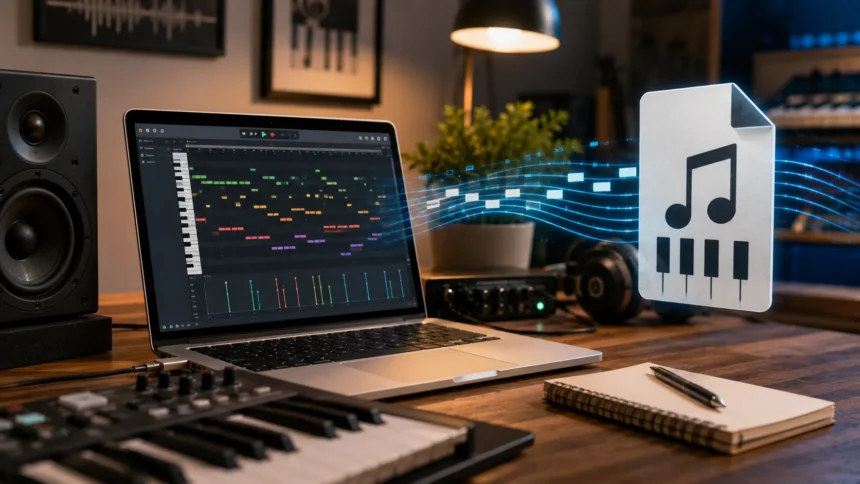
A digital audio workstation is one of the most practical environments for creating MIDI files. Musicians can connect a MIDI keyboard, drum pad, electronic drum kit, or other controller and record a performance directly into the software. As the musician plays, the DAW records note timing, velocity, and other MIDI messages rather than necessarily recording audio. The captured notes usually appear within a piano-roll editor containing a keyboard along one side and a time grid across the screen. Notes can then be moved vertically to change pitch or horizontally to change timing. Their length can be shortened or extended, and velocity values can be adjusted individually. These editing capabilities make it possible to refine performances without recording every imperfect section again.
You do not need a physical MIDI keyboard to create a MIDI file. Most sequencing programs allow users to draw notes manually into the piano roll using a mouse, trackpad, touchscreen, or computer keyboard. This technique is common in electronic music, hip-hop, game music, and other styles where producers build arrangements note by note. Drum patterns can be programmed using grids, while chords and melodies can be constructed visually. Manual programming provides extremely precise control over rhythm and note placement. However, perfectly aligned notes can sometimes sound mechanical, so producers may adjust timing and velocity to create a more human feel. MIDI editing therefore combines technical accuracy with artistic decisions about how performances should breathe and move.
Quantization is one of the most frequently used MIDI editing tools. When a musician records a performance, some notes naturally fall slightly before or after the exact rhythmic grid. Quantization moves selected notes closer to desired beat divisions such as quarter notes, eighth notes, or sixteenth notes. Strong quantization can create very precise timing, which is useful for certain electronic or rhythmic styles. Partial quantization can tighten a performance while preserving some natural variation. Many programs also offer groove or swing functions that deliberately shift timing according to rhythmic patterns. Because MIDI notes remain separate events, these changes are usually reversible and easy to experiment with. Producers can compare several rhythmic interpretations without rerecording the original performance.
Velocity editing provides another powerful method for shaping musical expression. A drum pattern containing every note at maximum velocity may sound repetitive and unnatural because real drummers rarely strike every hit with identical force. Varying velocity can create accents, ghost notes, and more convincing dynamics. Piano and orchestral virtual instruments can also respond dramatically to velocity because sophisticated libraries may trigger different samples according to playing intensity. Producers can draw gradual velocity changes or edit each note independently. Controller automation can add further expression through modulation, sustain, expression, pitch bending, or other assigned parameters. These details are often what transform a technically correct MIDI sequence into a performance that sounds musical and engaging.
When an arrangement is complete, the project can usually be exported as a Standard MIDI File for use in other compatible applications. Export options may allow the producer to include tempo information, multiple tracks, controller events, and other performance data. The recipient can then open the file in another DAW, notation program, hardware sequencer, or compatible device. However, third-party virtual instrument sounds and audio effects are not automatically included with the MIDI export. If you need someone to hear exactly how the production sounds, you should also export an audio version. Many professional collaborations therefore share both MIDI and audio reference files. MIDI provides editable performance data, while the audio reference demonstrates the intended instruments, effects, balance, and overall musical character.
MIDI File Types, Uses, and Common Applications
Standard MIDI Files are traditionally divided into several types based on how their tracks are organized. Type 0 stores all MIDI events within a single track, even if multiple MIDI channels are used. This format can be useful for older hardware or simpler systems but makes complex arrangements less convenient to edit visually. Type 1 stores multiple tracks within the same sequence, allowing different musical parts to remain separated. It is widely useful for arrangements where drums, bass, keyboards, strings, and other instruments need individual tracks. Type 2 can contain multiple independent sequences within a file but is much less commonly encountered in everyday music production. Most modern users primarily work with Type 0 or Type 1 Standard MIDI Files.
General MIDI is another term frequently associated with .mid files. It defines a standardized collection of instrument program numbers and percussion mappings so compatible devices can interpret instrument assignments more consistently. A General MIDI arrangement might specify that one track should use acoustic piano, another electric bass, and another strings. The receiving synthesizer supplies its own versions of those instruments, so the exact sound still varies between devices. General MIDI was especially useful for games, multimedia, karaoke, and consumer keyboards because composers could create arrangements that remained broadly recognizable across different hardware. Although modern DAWs often use highly specialized virtual instruments instead, General MIDI remains important when working with older files and standardized playback systems.
Video game music has a long history with MIDI because the format provides compact and flexible musical information. Earlier games and computer systems could store musical arrangements without including large recorded audio files. A sound card or synthesizer generated the actual instrument tones during gameplay. This saved valuable disk space and allowed music to adapt efficiently within limited hardware environments. Modern games typically use recorded or dynamically rendered audio more extensively, but MIDI remains useful during composition and interactive music development. Game composers may create orchestral mockups with MIDI before recording live musicians or exporting finished audio. MIDI can also control adaptive music systems where musical elements change according to events happening in the game.
Education is another major MIDI use case. Music students can slow down arrangements, isolate instrument parts, change keys, inspect notes, and practice alongside sequences. Teachers can create accompaniment tracks or use MIDI files to demonstrate harmony, rhythm, orchestration, and composition. Notation programs can convert MIDI performances into editable sheet music, making the format useful for analysis and transcription. Piano learners may connect digital instruments to software that tracks which notes they play. Because MIDI separates musical structure from recorded sound, students can experiment with arrangements without needing advanced recording equipment. A melody can be transposed instantly or assigned to another instrument, allowing learners to hear how compositional decisions affect the musical result.
MIDI is also widely used in live performance and studio automation. Keyboard players can change synthesizer sounds, trigger backing parts, and control multiple instruments from a central setup. Producers can use MIDI controllers to operate virtual mixing consoles, effects, transport controls, lighting systems, and performance software. Electronic musicians may synchronize drum machines, synthesizers, sequencers, and computers so multiple devices follow the same musical timing. Even when no .mid file is being played, MIDI communication can remain central to the workflow. This distinction is useful because MIDI is both a communication protocol and a family of file-based musical workflows. A MIDI file is only one application of a broader technology that connects instruments, computers, software, and performance controls.
How to Convert a MIDI File to MP3 or WAV
Converting MIDI to MP3 or WAV is different from converting one ordinary audio format into another because the MIDI file does not contain audio that can simply be re-encoded. The MIDI instructions first need to be played through a synthesizer or virtual instrument that generates actual sound. That sound can then be rendered or recorded into an audio file. The final result therefore depends heavily on which instruments and sound libraries you choose. A basic system synthesizer may produce a simple electronic sound, while professional virtual instruments can create much more realistic results. Two people converting the same .mid file with different instruments may end up with dramatically different MP3 or WAV files.
A digital audio workstation provides one of the most flexible ways to perform the conversion. First, import the MIDI file into the DAW and assign appropriate virtual instruments to each track. Listen through the arrangement to confirm that piano, drums, bass, strings, and other parts are mapped correctly. You can adjust volume, panning, effects, tempo, and instrument settings until the sequence sounds the way you want. Once the arrangement is ready, use the DAW’s export, render, or bounce function to create an audio file. WAV is often preferred when you need higher-quality audio for further production or editing. MP3 is useful when you want a smaller file for easy listening, email, web publishing, or general distribution.
If the MIDI file contains multiple tracks, conversion provides an opportunity to improve the arrangement before generating audio. You might replace basic General MIDI sounds with higher-quality instruments, adjust note velocities, correct timing issues, or add reverb and compression. A MIDI drum track could be routed to a realistic acoustic drum library, while a string track could control an orchestral sample collection. This ability to choose the rendering environment means conversion can be either a simple technical process or a complete production project. The more important the final audio quality, the more attention should be paid to instrument selection and mixing. Converting MIDI is therefore partly about deciding how the musical instructions should ultimately sound.
Online MIDI-to-MP3 converters also exist, but users should understand how these services work. The website must render the MIDI through its own synthesizer or sound library before producing the downloadable audio. As a result, you have less control over instrument quality and interpretation than you would inside a DAW. Online services may be convenient for quickly previewing a simple sequence, but they are less suitable when precise sound design matters. Privacy should also be considered before uploading unreleased compositions or confidential musical material to third-party websites. Local software keeps the conversion process on your own computer and usually offers more editing flexibility. For professional or original music, a trusted DAW is generally the more controllable workflow.
Converting an MP3 back into MIDI is considerably more difficult because the computer must analyze finished audio and infer which musical notes created it. Simple monophonic melodies can sometimes be converted reasonably well using pitch-detection technology. Complex songs containing vocals, drums, chords, effects, and many overlapping instruments are much harder to translate accurately into editable MIDI events. Some modern music applications use advanced audio-analysis or machine-learning tools to extract melodies, chords, drums, or pitch information, but results generally require cleanup. This process is fundamentally different from opening an original MIDI file because much of the structured performance information has already been combined into the audio waveform. Whenever possible, keeping the original MIDI files provides far greater flexibility for future editing.
Frequently Asked Questions About MIDI Files
What does MIDI stand for?
MIDI stands for Musical Instrument Digital Interface. It is a technical standard that allows electronic instruments, computers, controllers, and music software to exchange performance and control information.
Does a MIDI file contain audio?
No. A standard MIDI file normally contains musical instructions such as notes, timing, velocity, controller data, and instrument information rather than recorded sound.
How do I open a .mid file?
You can open a .mid or .midi file using a compatible digital audio workstation, MIDI sequencer, notation program, or MIDI-capable playback application. A DAW is usually the best option when you want to edit the notes or assign different instruments.
Why does the same MIDI file sound different on different computers?
The MIDI file tells the system what notes and instruments to play, but the receiving synthesizer generates the actual sound. Different computers, sound modules, and virtual instruments can therefore produce very different versions of the same sequence.
Can I convert a MIDI file to MP3?
Yes. The MIDI data must first be played through a software or hardware instrument to generate audio, after which the result can be exported or rendered as MP3, WAV, or another audio format.