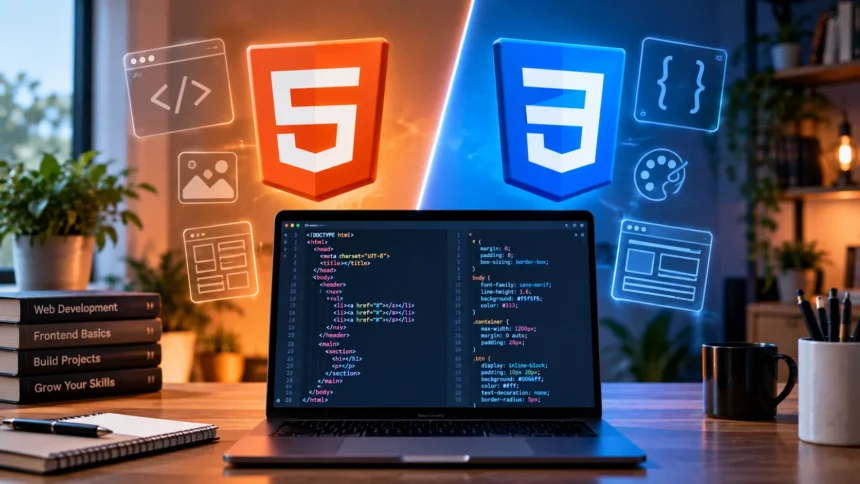
HTML and CSS are two of the first technologies most people encounter when learning web development. They often appear together, which can make beginners wonder whether they do the same job. In reality, HTML and CSS have different responsibilities, and understanding that difference makes it much easier to build and style websites correctly.
HTML provides the structure and meaning of a web page, while CSS controls how that structure looks on the screen. You can think of HTML as the framework of a house and CSS as the paint, furniture, spacing, and visual design. Both are essential for creating modern websites that are organized, readable, and visually appealing.
Learning how HTML and CSS work together also creates a foundation for more advanced web development skills. Once you understand page structure and styling, technologies such as JavaScript, responsive design, frameworks, and front-end libraries become easier to approach. The key is learning what each technology does before trying to combine them in more complex projects.
What Is HTML?
HTML stands for HyperText Markup Language and is used to define the structure and content of web pages. It tells a browser which parts of a page are headings, paragraphs, images, links, lists, forms, tables, buttons, and other elements. HTML does not primarily control visual design; instead, it describes what each piece of content represents.
HTML uses elements and tags to organize information. For example, heading tags define titles and section headings, paragraph tags contain regular text, and anchor tags create links between pages. Developers arrange these elements inside a document so browsers can understand the page structure and display the content in a meaningful order.
Modern HTML also includes semantic elements such as header, nav, main, article, section, and footer. These elements make the purpose of different areas clearer to developers, browsers, search engines, and assistive technologies. Good HTML therefore supports not only page structure but also accessibility, maintainability, and clearer organization of website content.
What Is CSS?
CSS stands for Cascading Style Sheets and controls the visual presentation of HTML content. It allows developers to change colors, fonts, backgrounds, spacing, borders, alignment, layouts, sizes, and many other design properties. Without CSS, a web page can still contain structured information, but it will usually look basic and follow the browser’s default styling.
CSS works by selecting HTML elements and applying styling rules to them. A developer might select every paragraph and change its font size, or target one specific button and give it a background color. Selectors, properties, and values form the foundation of CSS, allowing developers to control both broad site-wide styles and very specific visual details.
Modern CSS can do much more than simply change colors and fonts. Features such as Flexbox and CSS Grid help developers create responsive page layouts, while media queries allow designs to adapt to different screen sizes. Transitions, animations, variables, and advanced selectors make CSS a powerful part of modern front-end web development.
HTML vs CSS: What Is the Main Difference?
The main difference between HTML and CSS is that HTML creates structure while CSS creates presentation. HTML determines what content exists and how it is organized, while CSS determines how that content appears. If a page contains a heading, paragraph, image, and button, HTML defines those elements and CSS can control their appearance.
Another important difference is the way each technology is written. HTML is based on elements and tags that wrap or describe content, while CSS uses selectors followed by styling declarations. HTML might identify something as a paragraph, whereas CSS can decide that the paragraph should have a specific font, width, line spacing, and color.
The two technologies therefore solve different problems rather than competing with each other. HTML answers questions such as “What is this content?” and “Where does it belong?” CSS answers questions such as “How should it look?” and “How should it respond on different screens?” Understanding this separation makes web projects easier to organize and maintain.
How HTML Syntax Works
HTML syntax is built around tags enclosed in angle brackets. Many elements include an opening tag, content, and a closing tag, such as a paragraph placed between <p> and </p>. Other elements may include attributes that provide additional information, such as a link destination, image source, alternative text, class name, or unique identifier.
A basic HTML document usually contains elements that describe the page itself and the content shown to visitors. The head section includes information such as the page title and links to resources, while the body contains visible content. Inside the body, developers organize headings, paragraphs, images, links, lists, forms, and other elements logically.
HTML elements can also be nested inside one another to create relationships. For example, a navigation element might contain a list, and that list can contain several links. Correct nesting helps browsers interpret the document properly and makes the code easier to read, debug, and maintain as the website becomes larger.
How CSS Syntax Works
CSS rules usually contain a selector and a declaration block. The selector identifies the HTML element or group of elements that should receive the style, while the declaration block contains properties and values. For example, a developer can select all headings and define their font size, color, margin, or alignment using separate CSS properties.
Selectors can be simple or highly specific. You can target elements by tag name, class, ID, attributes, position, or relationships with other elements. Classes are especially common because they allow the same style to be reused across multiple HTML elements without repeating large amounts of code throughout the website.
CSS also follows a cascade, meaning multiple rules can potentially affect the same element. Specificity, source order, inheritance, and importance help determine which style takes effect when rules overlap. Understanding the cascade becomes increasingly important as websites grow because poorly organized CSS can create unexpected styling conflicts that are difficult to troubleshoot.
How HTML and CSS Work Together
HTML and CSS are most effective when they work together while keeping their responsibilities separate. HTML provides meaningful page structure, and CSS uses selectors to target that structure and style it. This separation lets developers update the appearance of an entire website without rewriting the actual page content or changing every HTML element individually.
A common workflow is to write clean HTML first and then apply CSS to improve visual design. For example, HTML can create a navigation menu containing links, while CSS can arrange those links horizontally, adjust spacing, add hover effects, and change their colors. The content remains understandable even when the styling changes completely.
Keeping structure and design separate also improves maintenance. If a company changes its brand colors, a developer can update CSS rules rather than editing every page element manually. Similarly, improving HTML semantics does not necessarily require redesigning the website. This separation of concerns is an important principle in organized front-end development.
Can You Use HTML Without CSS?
Yes, a website can work without CSS because browsers can display HTML using built-in default styles. Headings will normally appear larger than paragraphs, links will be recognizable, and lists will still display bullets or numbers. The page may not look polished, but visitors can usually read and navigate properly structured HTML content.
Using HTML without CSS can actually be helpful while learning. Beginners can focus on page structure, semantic elements, links, forms, and content organization before worrying about design. It also shows why good HTML matters because a properly structured document should remain understandable even when decorative styling is completely removed.
However, most modern websites rely heavily on CSS for professional presentation. Businesses need consistent branding, readable spacing, responsive layouts, mobile-friendly navigation, and clear visual hierarchy. HTML alone cannot provide that level of design control, which is why CSS becomes essential when moving from basic web pages to production-ready websites.
Can You Use CSS Without HTML?
CSS generally needs something to style, so in normal website development it works alongside HTML or another document structure. A CSS file by itself does not create headings, paragraphs, images, navigation menus, or other visible page content. It provides styling instructions that browsers apply to matching elements already present in the document.
This distinction helps beginners understand why learning CSS without basic HTML knowledge can be confusing. If you do not understand elements, classes, IDs, nesting, and document structure, CSS selectors become much harder to use effectively. Knowing the underlying HTML makes it easier to understand exactly what a styling rule is targeting.
In practical projects, developers therefore learn enough HTML to build page structure before spending significant time on CSS. Once the structure is clear, styling becomes more intuitive because you can see how selectors relate to actual elements. Later, both skills develop together as projects become more complex and responsive.
HTML and CSS for Responsive Web Design
Responsive web design means creating pages that adapt to phones, tablets, laptops, and larger desktop screens. HTML provides the content structure needed across all these devices, while CSS controls how that structure changes based on available screen space. The same HTML can therefore appear differently depending on the size of the visitor’s display.
CSS features such as media queries, Flexbox, Grid, relative units, and responsive sizing make adaptable layouts possible. A three-column desktop layout might become a single-column layout on a phone, while navigation can change its spacing or arrangement. Images and text can also resize to prevent horizontal scrolling and maintain comfortable readability.
HTML still plays an important role in responsiveness because the underlying structure should remain logical regardless of the layout. Developers should not rely on CSS to fix confusing content organization. Well-structured HTML combined with flexible CSS creates more reliable responsive websites than treating mobile design as an afterthought after the desktop version is finished.
HTML and CSS Tools Beginners Should Know
Beginners do not need complicated software to start learning HTML and CSS. A code editor, modern web browser, and browser developer tools are enough for many early projects. Editors such as Visual Studio Code can help with syntax highlighting and file organization, while browser tools allow developers to inspect HTML elements and test CSS changes directly.
As your skills grow, other development tools can make the workflow more efficient. Version control, browser extensions, design resources, testing tools, and deployment platforms can help you manage increasingly complex projects. Exploring useful web development tools can give beginners a clearer idea of which resources support coding, debugging, testing, and website creation.
However, tools should not replace understanding the fundamentals. An editor may suggest HTML tags or CSS properties automatically, but you still need to understand why the code works. Focus first on structure, selectors, properties, responsive design, and debugging, then gradually introduce tools that make repetitive tasks faster and more organized.
Which Should You Learn First: HTML or CSS?
HTML should generally come first because CSS depends on understanding the elements being styled. Begin by learning document structure, headings, paragraphs, links, images, lists, forms, semantic elements, and basic attributes. Once you can create a simple page with organized content, adding CSS becomes much easier because you already understand what each selector targets.
After learning basic HTML, start with core CSS concepts such as colors, fonts, margins, padding, borders, backgrounds, width, height, and the box model. Then move into layout techniques such as Flexbox and Grid. Responsive design, media queries, transitions, and more advanced selectors can follow after you feel comfortable with simpler styling rules.
You do not need to master HTML completely before beginning CSS. The two are usually learned together after the initial HTML foundation because building small projects helps reinforce both skills. Creating landing pages, portfolios, forms, blog layouts, and simple business websites gives beginners practical opportunities to improve structure and styling at the same time.
Common HTML and CSS Mistakes Beginners Make
One common HTML mistake is using elements purely because of how they look instead of what they mean. For example, choosing a heading tag simply because it appears large can create poor document structure. Semantic HTML should describe the purpose of content, while CSS should handle visual decisions such as font size, weight, spacing, and color.
Beginners also sometimes repeat the same CSS in many places rather than creating reusable classes. This makes styles harder to update and increases the likelihood of inconsistent design. Understanding selectors, inheritance, and reusable styling patterns can significantly reduce unnecessary code while making websites easier to maintain as additional pages and components are added.
Another common mistake is trying to memorize every HTML element and CSS property before building anything. Professional developers regularly check documentation when they forget syntax or need an unfamiliar feature. Building projects, experimenting, debugging, and researching specific problems creates a much stronger understanding than trying to memorize hundreds of tags and properties in isolation.
Conclusion
HTML and CSS are closely connected, but they perform clearly different roles in web development. HTML defines the structure and meaning of a page, while CSS controls its visual appearance and layout. Understanding this distinction helps beginners write cleaner code and makes it easier to troubleshoot problems when a page does not look or behave as expected.
Learning HTML first gives you a strong foundation in content structure, semantic markup, and page organization. CSS can then transform that structure through colors, typography, spacing, layouts, and responsive design. As you practice both technologies together, you begin to understand how professional websites separate content from presentation.
Neither HTML nor CSS needs to feel complicated at the beginning. Start with simple pages, experiment with different styles, inspect your work in the browser, and gradually build larger projects. Once you are comfortable with both, you will be better prepared to learn JavaScript and move deeper into front-end web development.
FAQs
Is HTML easier than CSS?
HTML is often easier for beginners because its main purpose is organizing page content. CSS can become more challenging as layouts, responsive design, specificity, inheritance, and overlapping styling rules become more complex.
Is HTML a programming language?
HTML is generally considered a markup language rather than a programming language. It describes the structure and meaning of web content but does not include the logic, conditions, and computational behavior associated with programming languages.
Can I learn HTML and CSS at the same time?
Yes. Learning basic HTML first and then introducing CSS shortly afterward is a practical approach. Small projects allow you to practice page structure and styling together while seeing immediately how both technologies interact.
Do I need HTML and CSS before learning JavaScript?
Understanding HTML and CSS first is highly recommended for front-end web development. JavaScript often interacts directly with HTML elements and page styling, so knowing the underlying structure makes JavaScript concepts much easier to understand.
How long does it take to learn HTML and CSS?
You can learn basic HTML and CSS concepts within several weeks of consistent practice. Becoming comfortable with responsive layouts, accessibility, reusable styles, and real-world projects usually requires additional practice over several months.